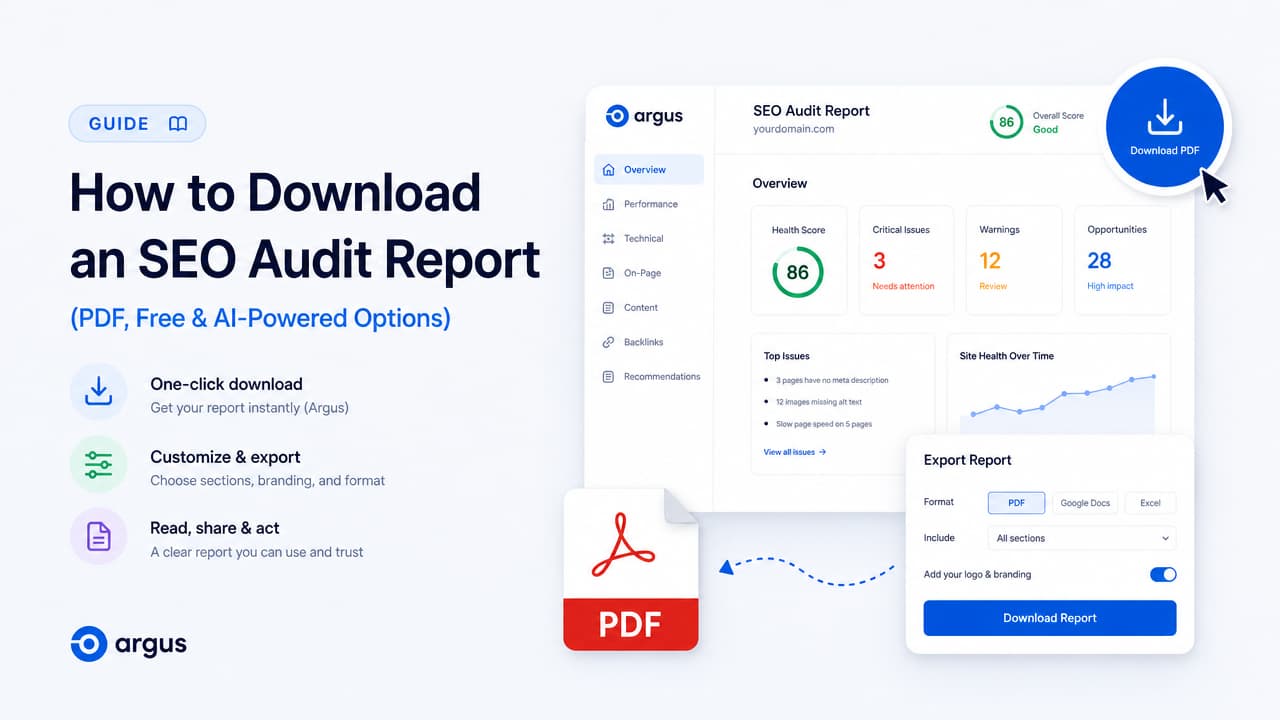
To download an SEO audit report, run a page or site through an audit tool, then export the results as a PDF or shareable file. You have three fast routes: a browser extension that reads the page you're already on (like Argus), a web tool where you paste a URL and wait, or a WordPress plugin that audits from your dashboard. Most options are free or freemium, and several let you get a seo audit report download with no signup at all.
This guide skips the marketing spin and treats the report as what it actually is: a portable deliverable you need to download, share with a client or stakeholder, and act on. Below you'll find the fastest tools, what a good report should contain, which export format fits your situation, and how to read the file once it lands in your downloads folder.
The Fastest Way to Get a Downloadable SEO Audit Report
The quickest path is to pick a tool built for instant output. You don't need an enterprise platform to pull a solid report — you need something that scores a page, lists the problems, and lets you export.
Here are concrete options that get you there:
- Argus (Chrome extension) — one-click, AI-powered on-page SEO insights for whatever page you're viewing. No pasting URLs, no waiting on a queue.
- SEOptimer — generates a PDF audit in about 30 seconds, with color, font, and text customization.
- Semrush SEO Checker — a free site audit that scans for critical SEO and AI search issues.
- Rank Math SEO Analyzer — generates a free SEO report for WordPress sites and exports a PDF.
- Seomator — runs 172 on-page checks and returns a 0–100 score plus a PDF report in 15–30 seconds, free and with no signup.
- AIOSEO Analyzer — a full on-page audit covering metadata, schema, links, and technical errors.
If your goal is a shareable file today, start with SEOptimer or Seomator for a downloadable PDF, or install Argus if you'd rather get insights on the page and act without leaving your browser. Several of these — Seomator and Semrush's checker among them — are genuinely free, and a few skip the email gate entirely. If you want a wider shortlist, our roundup of free SEO audit tools and what each one actually checks breaks them down by task.
What a Downloadable SEO Audit Report Should Contain
Not every report is worth the download. A useful seo audit report covers the full picture, not just a keyword-density readout. Look for these sections when you evaluate a tool's output.
The standard sections
- Overall score (0–100) — a single number that summarizes health so you can benchmark and re-check later. For context, Seomator reports a median score of 71/100 across the 100,000+ websites audited on its network in 2026.
- On-page SEO — title tags, meta descriptions, headings, image alt text, and keyword usage. This is the layer an on page seo checker handles best.
- Technical SEO — crawlability, indexation, redirects, robots.txt, and status codes. SEO Site Checkup audits 70+ technical factors here.
- Page speed / Lighthouse — Core Web Vitals and load performance, often pulled straight from Google Lighthouse scores.
- Content — depth, readability, and topical coverage.
- Links — internal linking structure and backlink signals.
- Structured data — schema markup that helps search engines and rich results.
- AI / LLM visibility — an increasingly standard section that shows how large language models perceive your content.
Depth and prioritization matter
Breadth alone isn't enough. Seomator runs its 172 checks across 16 weighted categories, which means not every failed check counts the same — weighting tells you what actually moves the needle. Good reports also prioritize fixes rather than dumping a flat list. Neil Patel's Site Audit, for example, returns a prioritized list of issues with instructions on how to fix them.
When you download a report, the value is in that technical seo audit depth plus a clear order of operations. A 200-item checklist with no severity ranking just creates work; a scored, prioritized report tells you where to start. If you want to run the checks yourself first, our guide on how to do an on-page SEO audit walks through the sequence step by step.
PDF vs Browser vs Shareable Link: Which Format to Download
The right export format depends on who's going to read the report and what you plan to do with it.
PDF for handoff
PDF is the default for client and stakeholder delivery. It's portable, prints cleanly, and doesn't change after you send it. SEOptimer, Rank Math, and Seomator all produce downloadable PDFs, and SEOptimer lets you tune color, font, and text so the document matches your context.
White-label branded PDFs
Agencies and consultants usually need the report to carry their own brand, not the tool's. SEOptimer offers branded white-label audits in PDF, SEO Site Checkup delivers white-label reports, and Swydo focuses on white-label reporting for client-facing teams. If you're billing a client, a branded PDF looks like a deliverable rather than a screenshot — and if budget is tight, see what free white-label SEO audit tools actually get you for $0.
Instant in-browser reports
Sometimes you don't need a file — you need an answer now. Browser-native and no-signup web reports fit here. Argus surfaces AI-powered insights directly on the page you're inspecting, and Seomator renders the full report in the browser with no account required. This is ideal when you're mid-workflow and just want to know what to fix. It's the same idea behind checking on-page SEO online in one click.
Shareable links and templates
A shareable link keeps the report live and updatable, which suits ongoing engagements. And if you want to see the shape of a professional report before committing, Swydo publishes a downloadable sample SEO report PDF with a monthly audit template — a useful reference for building your own seo report template.
| Format | Best for | Trade-off |
|---|---|---|
| Client / stakeholder handoff | Static; needs re-export to update | |
| White-label PDF | Agencies billing clients | Often a paid tier |
| In-browser report | Fast fixes while you work | Not always a saved file |
| Shareable link | Ongoing engagements | Requires an account |
| Template / sample | Building your own report | You still run the audit |
Free SEO Audit Report Tools Compared
Here's a decision-oriented comparison of the main tools by signup, PDF export, AI visibility, and who each one fits. Use it to shortlist a free seo audit tool that matches how you work.
| Tool | Type | Signup required | PDF export | AI / LLM visibility | Best for |
|---|---|---|---|---|---|
| Argus by Pixelesq | Chrome extension | No — install and go | On-page insights in-browser | AI-powered insights | Content strategists & marketers auditing on the fly |
| SEOptimer | Web tool | Freemium | Yes (30-sec PDF) | GEO / AI audit | Branded, customizable PDFs |
| Semrush SEO Checker | Web platform | Freemium | Yes (paid tiers) | AI search issues | Deep, ongoing site audits |
| Rank Math SEO Analyzer | WordPress plugin | Free tool | Yes | Content AI features | WordPress owners (4M+ users) |
| AIOSEO Analyzer | WordPress plugin | Free tool | Report output | Growing AI features | WordPress sites (3M+ users) |
| Seomator | Web tool | No signup | Yes (172 checks) | AI visibility included | Fast, free full-page audits |
| SEO Site Checkup | Web platform | Freemium | Yes (white-label) | LLM visibility across 6 engines | Teams tracking AI + rankings |
| Neil Patel Site Audit | Web platform | Account | Report output | AI search visibility | Prioritized fix lists |
| TheHoth SEO Report Tool | Web tool | Freemium | Yes | Basic | Simple, readable reports |
The pattern: WordPress owners lean toward Rank Math or AIOSEO, agencies gravitate to white-label PDFs from SEOptimer or SEO Site Checkup, and anyone who wants a quick ai seo analysis tool without an account has Seomator or Argus. For a deeper dive on the browser-based end, our list of the best Chrome SEO extensions ranks them by use case.
One-Click Audits Without Leaving the Page: The Argus Approach
Most tools on this list share one friction point: you paste a URL into a form and wait for a queue. That's fine for a scheduled monthly audit, but it's slow when you're actively working on a page and want to know what's wrong right now.
Argus flips that. It's a Chrome extension that runs one click seo audit insights on whatever page you're viewing — no copy-pasting, no separate dashboard, no context switch. As The All-Seeing SEO Inspector, it reads the page and surfaces ai powered seo insights in place.
Think about Eva, a content strategist reviewing a draft before it ships. She doesn't want to leave her CMS, export a URL, and reload a report — she wants to check the on-page signals and fix them in the same tab. Or Tom, a marketing executive skimming a competitor's landing page: he can pull instant insight without spinning up a full platform account. For both, a browser-native seo extension for chrome keeps the audit inside the workflow instead of interrupting it.
Argus focuses on the on-page layer where content and marketing decisions actually get made. When you need a formal, branded PDF for a client, pair it with a white-label web tool. When you need to know what to change and change it now, the extension is the faster loop — the same tight cycle covered in our on-page SEO audit walkthrough.
How to Read and Act on Your Downloaded Report
A downloaded report only matters if it changes what you do next. Here's how to turn the file into action.
1. Start with the score
Read the overall 0–100 score first to check where you stand and to set a baseline. If you're near Seomator's 71/100 median, you're average — which usually means there's clear upside. Note the number so you can measure improvement after fixes.
2. Sort issues by priority and severity
Don't work top to bottom. Filter for high-severity items and, where the tool weights categories, focus on the heavy ones. A prioritized list (like Neil Patel's fix instructions) tells you the order; if your tool doesn't rank issues, tackle anything that blocks indexing or crawling first. A sequenced on-page SEO strategy framework can help you order the work by impact rather than by checklist position.
3. Fix the quick wins
Some of the highest-impact fixes are also the fastest:
- Missing or duplicate meta tags — titles and descriptions.
- Page speed drags — remove anything that slows the page, per common Lighthouse guidance.
- Absent structured data — add schema where it's missing.
- Broken links and bad redirects.
Clearing these early moves your score quickly and builds momentum.
4. Don't ignore AI visibility
LLM visibility is a newer line item, and it's becoming a real priority as search shifts. Tools like SEO Site Checkup now report how your brand appears across engines like ChatGPT, Claude, and Gemini. If your report includes an AI visibility section, treat it as part of the fix list — not a novelty.
5. Re-audit to track progress
After you ship fixes, run the same seo site check again and compare scores. Re-auditing confirms the changes worked and catches anything new. This loop — audit, fix, re-audit — is where the report earns its keep, and a fast tool makes the loop cheap to repeat.
Frequently Asked Questions
Can I download an SEO audit report for free?
Yes. Several tools offer a free seo audit report download, including Seomator, Rank Math's SEO Analyzer, Semrush's SEO Checker, and TheHoth's report tool. Free tiers may limit checks or depth, but they're enough for a solid first audit.
How do I get an SEO audit report as a PDF?
Run your page or site through a tool that supports PDF export — SEOptimer generates one in about 30 seconds, and Seomator produces a PDF alongside its 172-check report. Most web-based auditors include a download or export button once the scan completes.
What's the best tool to generate and download an SEO report?
It depends on your need. For branded client PDFs, SEOptimer or SEO Site Checkup. For WordPress, Rank Math or AIOSEO. For a fast, no-signup full audit, Seomator. And for on-page AI insights while you work, install Argus and audit the page you're already on.
Do I need to sign up or give an email to download the report?
Not always. Seomator renders its full report with no account or email, and Argus works as a browser extension without pasting URLs into a form. Other tools like SEOptimer and Semrush use freemium models that may ask for an email or account for full exports.
Can I get a white-label or branded SEO audit report for clients?
Yes. SEOptimer offers white-label branded PDFs, SEO Site Checkup delivers white-label reports, and Swydo specializes in white-label client reporting. Swydo also publishes a downloadable sample SEO report PDF you can use as a template.
Does an SEO audit report include AI search / LLM visibility?
Increasingly, yes. SEO Site Checkup tracks how your brand appears in ChatGPT, Claude, and Gemini, Seomator folds AI visibility into its checks, and Semrush flags AI search issues. Argus focuses on AI-powered on-page insights so you can act on them directly. Treat AI visibility as a standard section, not an afterthought.

