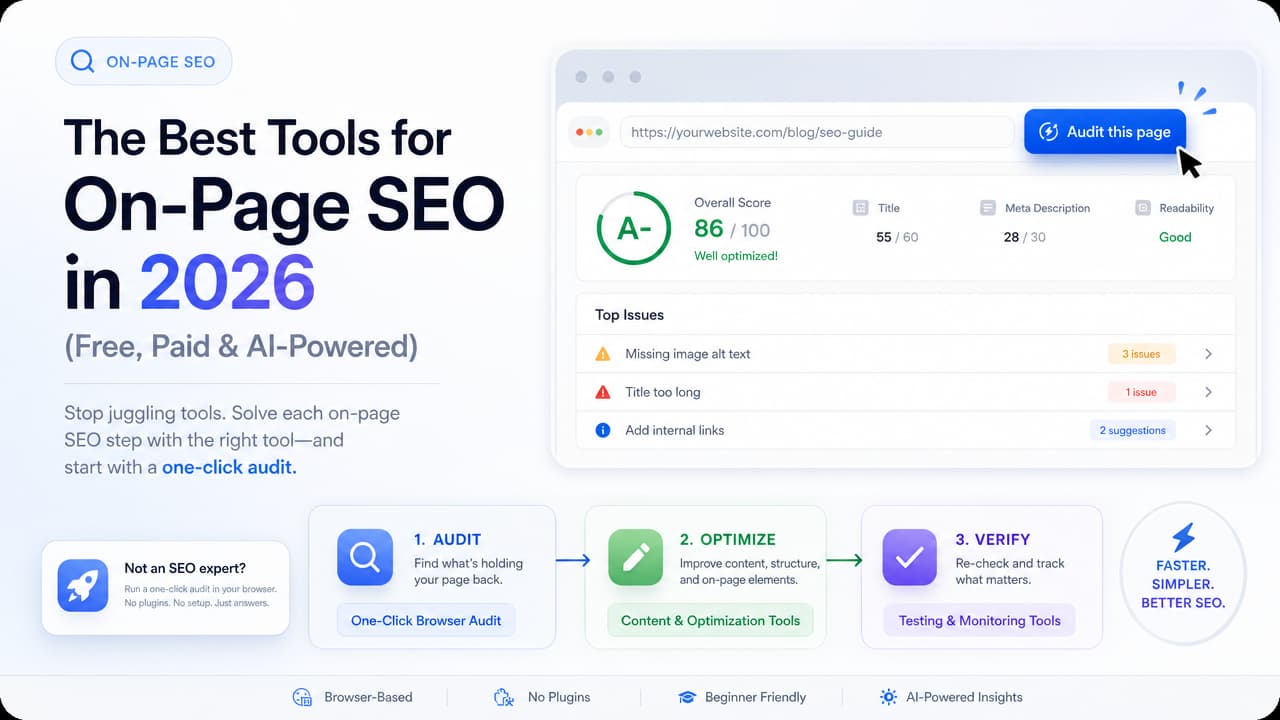
The best tools for on page seo fall into three jobs: auditing pages to find issues, optimizing content against target keywords, and verifying that your fixes actually worked. There is no single winner. If you want the fastest route from "is this page healthy?" to a clear answer, a one-click browser audit like Argus wins. If you're rewriting content to rank, a content optimizer like Surfer or Semrush's On-Page SEO Checker earns its keep. Most "top 24 tools" lists dump everything into one pile. This guide organizes tools by the workflow step they solve, so you can pick the right one in seconds.
The Best On-Page SEO Tools at a Glance
Which tool is best for on-page SEO depends entirely on what you're trying to do right now. Here's the short version, grouped by use case.
| Tool | Best for | Type | Price model |
|---|---|---|---|
| Argus | One-click AI audit in the browser, no setup | Chrome extension | Freemium |
| Surfer SEO | Content optimization for Google & AI answers | Web app | Paid |
| Semrush | All-in-one audits + rank tracking | Platform | Paid |
| Ahrefs | All-in-one audits + technical crawls | Platform | Paid |
| Wincher On-Page SEO Checker | Free single-URL check | Free tool | Free |
| Cocolyze | Free source-code checker + content assistant | Web app | Freemium |
| AIOSEO (All in One SEO) | Live on-page rules inside WordPress | Plugin | Freemium |
| Screaming Frog | Full-site technical crawls | Desktop app | Freemium |
If you only remember one rule: match the tool to the step. Auditing, optimizing, and verifying are different jobs, and the best on page seo tools are the ones purpose-built for the step you're on. An ai seo analysis tool that audits in one click is a different animal from a content optimizer that scores term coverage.
What On-Page SEO Tools Actually Do
On-page SEO covers everything you control on the page itself: title tags, headings, meta descriptions, keyword placement, internal links, content depth, and page structure. On-page SEO tools inspect those elements and tell you what's missing or misconfigured.
That's different from off-page and backlink tools, which measure signals from other sites pointing to yours. A backlink checker won't tell you your title tag is 65 characters when Google truncates around 60. An on-page tool will. If you're curious how backlinks and brand mentions fit in, the off-page SEO ranking factors are a separate discipline entirely.
So what is a SEO tool doing under the hood? For on-page work, it performs three distinct jobs:
- Audit — scan an existing page and flag issues (missing H1, thin content, keyword absent from title).
- Optimize — compare your content to what's ranking and suggest terms, headings, and length.
- Verify — re-check after edits and track whether rankings move.
Some tools do one job brilliantly. A technical seo audit tool like Screaming Frog crawls thousands of URLs, while a one-click extension inspects the single page you're looking at. Knowing which job you need saves you from paying for features you'll never open.
Tools by Workflow Step
A flat "top tools" list assumes you know what you're shopping for. Most people don't. They know they have a page that isn't ranking and they want to fix it.
That's a workflow, not a shopping list: Audit → Optimize → Verify. You find the problems, you fix the content, then you confirm the fix held. Organizing tools by that sequence means you always know what to open next — and you avoid buying an enterprise platform when a free browser check would have answered your question in ten seconds.
Step 1: Audit — Find On-Page Issues Fast
Auditing is where speed matters most, because it's the step you repeat constantly. The friction of logging in, pasting a URL, and waiting for a crawl is what stops beginners from auditing at all.
Argus removes that friction entirely. It's a Chrome extension that runs a one-click SEO audit on whatever page you're viewing, then returns AI-powered insights — no dashboard, no login flow, no CSV export to decode. For a junior developer or a marketer who just wants a quick seo site check, this is the fastest entry point to on-page auditing. You see the title, headings, meta data, and priority fixes in the same tab you're already working in.
Other solid auditing options, depending on depth:
- Wincher On-Page SEO Checker — a free single-URL tool. It checks concrete rules like a title between 30–60 characters, a single H1 under 40 characters that differs from the title, and whether your keyword appears early in both. Great for a targeted, keyword-specific check.
- Cocolyze Free On-Page SEO Checker — crawls the page the same way an internet user would, then analyzes the source code and content keywords. Useful when you want to see the page as a bot renders it.
- Screaming Frog — the go-to when you need to crawl an entire site and export every title, heading, and status code at scale. Overkill for one page; essential for a full technical sweep.
The pattern: use a one-click extension for the page in front of you, a free URL checker for a keyword-specific look, and a full crawler when you need site-wide coverage. Most WordPress-plugin-heavy lists skip the browser-based option entirely — which is exactly the fastest tool for anyone who isn't an SEO specialist.
Step 2: Optimize — Improve Content for Keywords
Once you know what's broken, optimization is about making the content genuinely better than what's ranking. These tools compare your draft to top-ranking pages and score coverage.
- Surfer SEO — founded in 2017, Surfer is a content optimization tool built to boost visibility in Google and increasingly in AI answers like ChatGPT. It grades your term coverage, heading structure, and length against competitors, giving you a live content score as you write.
- On-Page.ai — pairs an AI Optimizer with a Stealth Writer, leaning on AI to suggest and generate on-page improvements. It also scans for AI-written content, which matters if you're auditing at scale.
- Semrush On-Page SEO Checker — pulls specific, page-level recommendations across content, technical, and semantic angles, tied to keywords you're targeting. Strong if you already live in the Semrush ecosystem.
- Cocolyze Content SEO Assistant — helps you write optimized content by surfacing the keywords and structure a page needs to compete.
The common thread across these ai powered seo insights tools is term coverage: they tell you which topics and phrases the ranking pages include that yours doesn't, plus readability and heading guidance. For a content strategist, this is where the real ranking gains come from — not from a perfect title tag, but from content that answers the query more completely. Getting your on-page SEO keywords placed correctly is a big part of that.
Step 3: Verify — Confirm Fixes and Track Impact
Making a change is not the same as confirming it worked. Verification closes the loop.
The quickest check is to re-run your audit. With Argus, that's another one-click pass on the updated page to confirm the H1 is fixed, the title is in range, and the keyword is placed correctly — a website seo audit chrome workflow that takes seconds.
For longer-term impact, you need rank tracking:
- Semrush and Wincher — track keyword positions over time so you can tie edits to movement.
- Nightwatch — dedicated rank tracking with granular location and device targeting.
If you're on WordPress, plugins enforce on-page rules live as you publish:
- AIOSEO (All in One SEO) — used by 3,000,000+ professionals, it scores each post's on-page setup, manages titles, meta descriptions, and schema, and flags issues before you hit publish.
- MonsterInsights — connects Google Analytics data into WordPress so you can see which pages are actually earning traffic after your fixes.
Verification is the step most people skip, and it's why they can't tell which changes moved the needle. Build it into the habit: audit, fix, then verify before moving on.
Free vs Paid On-Page SEO Tools
You can get a long way on free tools for on page seo. The question is when the paid platforms start paying for themselves.
What free tools cover well:
- Single-URL checks — Wincher and Cocolyze both audit a page against a keyword at no cost.
- One-click browser audits — extensions like Argus surface on-page issues without a paid plan.
- Point solutions — SEO Review Tools offers 82 free SEO and AI tools, from keyword and rank checkers to a writing assistant.
These are ideal for beginners and for anyone running quick, occasional checks. If you manage a handful of pages, some of the free SEO audit tools may be all you ever need.
When paid platforms are worth it:
- You're optimizing content regularly and want competitive term data — Surfer.
- You need site-wide audits, keyword research, rank tracking, and backlinks in one place — Semrush or Ahrefs.
- You manage many sites or clients and need historical tracking and reporting.
The honest answer for most individuals and small teams: start free, prove the workflow, and only upgrade when a specific limit — number of tracked keywords, audit depth, or client reporting — starts blocking you.
How to Choose the Right Tool for You
The right tool depends more on who you are than on which product scores highest in a review. Here's how the picks map to real roles.
Content strategists
Your leverage is in the content itself. Prioritize optimization tools — Surfer, Semrush's On-Page SEO Checker, or Cocolyze's content assistant — that show term coverage and structure gaps. Pair them with a quick audit tool to catch title and heading basics before you publish. These are the seo tools for content strategists that turn a decent draft into a ranking one.
Marketing executives
You want signal, not spreadsheets. An all-in-one dashboard (Semrush, Ahrefs) gives you the big-picture view, while a lightweight seo toolbar for marketers like Argus delivers quick insights on any page during a competitive review — useful when you're sizing up a rival's landing page in a meeting, not running a full crawl.
Junior developers and beginners
Start where the friction is lowest. A one-click extension like Argus gives you a full on-page read without learning a platform first. It's the fastest way to build intuition for what good on-page SEO looks like. The r/SEO community consistently favors tools that are simple and effective over bloated suites — and for someone learning, that simplicity is the whole point.
How to Practice On-Page SEO with These Tools
Here's the workflow end to end, with a tool for each step. This is how to optimize on-page SEO without getting lost in features.
- Run a one-click audit. Open the page in Chrome and let Argus scan it. Note the flagged issues — usually title length, missing or duplicate H1, meta description, and keyword placement.
- Fix the fundamentals. Set your title to 30–60 characters with the keyword near the front. Ensure a single H1 under 40 characters that differs from the title. Write a meta description that earns the click. Place your keyword early in the body.
- Optimize content depth. Run the page through Surfer or Semrush's On-Page SEO Checker. Add the terms and subtopics competitors cover that you missed, and tidy your heading structure so it maps to the query.
- Re-verify. Re-run the audit to confirm every issue cleared, then add the keyword to Wincher, Semrush, or Nightwatch to watch its position over the coming weeks.
Repeat this loop on your highest-value pages first. The compounding effect of fixing titles, tightening structure, and deepening content across a site is where on-page SEO earns its reputation.
Ready to skip the setup? Install Argus, open any page, and get a full one-click on-page audit with AI-powered insights — the fastest way to start the loop above today.
Frequently Asked Questions
Which tool is best for on-page SEO?
It depends on the job. For a fast, no-setup audit of the page in front of you, a one-click Chrome extension like Argus is best. For content optimization, Surfer or Semrush's On-Page SEO Checker lead. For all-in-one audits and tracking, Semrush and Ahrefs are the standards. Match the tool to whether you're auditing, optimizing, or verifying.
What are the 5 best SEO tools?
A strong on-page starter set: Argus for one-click audits, Surfer for content optimization, Semrush or Ahrefs for all-in-one analysis and tracking, Wincher for free single-URL checks, and AIOSEO if you run WordPress. Together they cover audit, optimize, and verify.
Are there free tools for on-page SEO?
Yes. Wincher's On-Page SEO Checker and Cocolyze's free checker both audit a single URL at no cost, browser extensions like Argus offer free one-click insights, and SEO Review Tools bundles 82 free SEO and AI tools. Free options cover most individual and small-team needs.
How do I check my website's on-page SEO score?
Run the page through an on-page checker. A one-click extension gives you an instant read in the browser; Wincher and Cocolyze score a specific URL against a keyword, checking title length, H1, keyword placement, and content. For a site-wide score, use a full audit from Semrush, Ahrefs, or a Screaming Frog crawl.
Can a Chrome extension do a full SEO audit?
A Chrome extension audits the page you're viewing extremely fast — titles, headings, meta data, keyword placement, and AI-driven fix suggestions — which covers the core of on-page SEO. For crawling thousands of URLs at once you'll still want a dedicated crawler, but for per-page auditing and quick checks, a tool like Argus does the full on-page job in one click.

