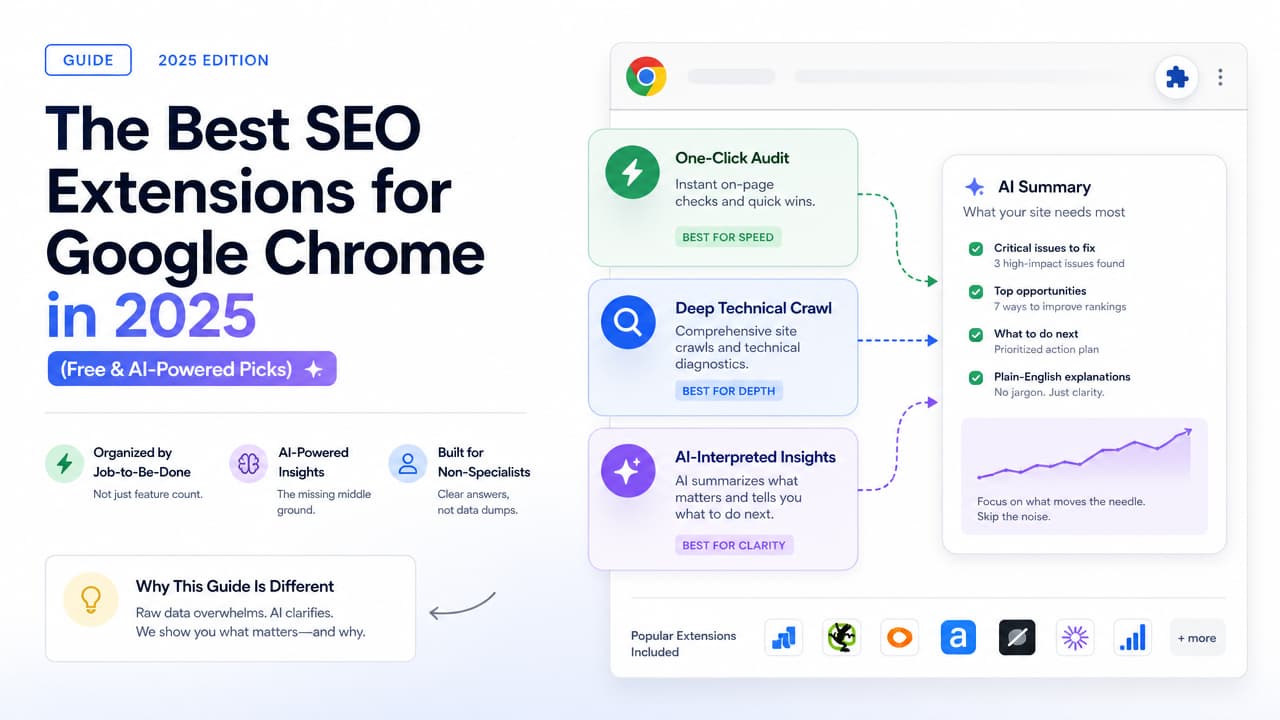
The best SEO extension for Google Chrome depends on the job you need done, not the number of features it lists. If you want a fast meta and heading check, the Detailed SEO Extension or SEO Meta in 1 Click are the go-to free picks. If you need keyword volume in the SERP, install Keyword Surfer. If you want backlink and authority numbers, reach for the Ahrefs SEO Toolbar, MozBar, or SEOquake. And if you want plain-language answers instead of a wall of raw data, an AI-powered one-click audit like Argus fills the gap most extensions leave wide open.
This guide organizes Chrome SEO extensions by the actual job-to-be-done, so you can stop scrolling through feature lists and pick the right tool for the task in front of you.
The Best SEO Chrome Extensions at a Glance
Here is the short version. Match the tool to what you are trying to accomplish right now.
| Extension | Best for | Cost |
|---|---|---|
| Detailed SEO Extension | One-click on-page and meta check | Free (450,000+ users) |
| SEO Meta in 1 Click | Fast meta data and SEO overview | Free |
| Keyword Surfer | Search volume inside Google results | Free |
| Ahrefs SEO Toolbar | Domain Rating, backlinks, on-page report | Free tier + paid |
| MozBar | Domain and Page Authority | Free tier + paid |
| SEOquake | SERP overlay metrics | Free |
| Argus by Pixelesq | AI-interpreted one-click audit with fixes | Free to start |
Notice the split: most of these tools surface data. Only one category actually interprets it. We will come back to why that difference matters for anyone who is not a full-time SEO. If you want the full head-to-head, our roundup of the best Chrome SEO extensions tests and ranks them by use case.
How to Choose an SEO Chrome Extension
Every good SEO extension for Chrome is built to solve one of three jobs. Figure out your job first, and the choice gets easy.
Job 1: Fast on-page and meta inspection
You want to check a page's title tag, meta description, headings, and robots directives in seconds. This is the everyday work of a content strategist checking a draft, or a junior developer confirming a page shipped correctly. You need speed and clarity, not depth. Free tools win here, and a compact one-page SEO checklist you can action in 15 minutes pairs well with them.
Job 2: Authority, backlink, and keyword data
You want numbers: how strong is this domain, how many links point to it, and how much search volume does a keyword get. This is competitive research and prioritization work. These tools trade simplicity for depth, and many gate their best data behind an account or paid plan.
Job 3: A full technical audit
You want to find broken redirects, crawl issues, missing structured data, and site-wide problems. Some of this lives in browser extensions; the heavy lifting belongs to a desktop crawler.
The trade-offs to weigh
- Free vs. paid: Free extensions cover most on-page and quick-check needs. Paid platforms unlock historical data, crawl volume, and tracking.
- Data depth vs. usability: The more metrics a tool packs in, the steeper the learning curve. A dashboard of 40 numbers is useless if you cannot tell which three matter.
- Who you are: Content strategists and marketing executives usually want interpretation and speed. Technical SEOs and developers want raw, exportable data.
Keep those three jobs in mind as we go section by section.
Best for One-Click On-Page & Meta Checks
These are the extensions you pin to your toolbar and click a dozen times a day.
Detailed SEO Extension
The Detailed SEO Extension is the most popular pick in this category, with 450,000+ users and a 100% free model. Click the icon on any live URL and it pulls back the essentials: title tag, meta description, meta robots tag, canonical, headings structure, and more. It also supercharges your right-click menu for quick access to common checks.
What it does well: it gives you a clean, organized snapshot of a page's on-page SEO without an account or a paywall. It is built for full-time SEOs but simple enough for anyone.
Its limit for beginners: it tells you what the tags say, not whether they are good or how to fix them. If your meta description is 240 characters, the extension shows you the length. Deciding what to do about it is on you — this is where a plain-English guide to on-page SEO tags and how to audit them helps.
SEO Meta in 1 Click
SEO Meta in 1 Click, by HBI Technology, does exactly what its name promises. One click displays all the meta data and main SEO information for the page you are on: titles, descriptions, headings, image alt text, and link counts. It is a reliable, free, no-friction inspector.
Like Detailed, it is a display tool. It shows you the raw facts of a page. It does not rank the severity of issues or tell a non-specialist which problem to tackle first. For a fast "is anything obviously broken?" check, it is excellent.
Best for Keyword & Authority Data
When you need to size up a page's competition or a keyword's demand, these tools deliver the numbers.
Keyword Surfer
Keyword Surfer overlays estimated search volume directly inside Google's search results, plus related keyword ideas. It is free and requires no account. For content strategists brainstorming topics, it turns a normal Google search into quick keyword research. For a bigger toolbox, see our guide to how AI keyword research tools work.
Ahrefs SEO Toolbar
The Ahrefs SEO Toolbar shows Domain Rating (DR), backlink counts, and an on-page SEO report for the page you are viewing. It also surfaces broken links and redirect chains. Some data is available free; the richest metrics tie to an Ahrefs account. This is a favorite for anyone doing competitive link analysis.
MozBar
MozBar puts Domain Authority (DA) and Page Authority (PA) on any page and across SERP results. It is a fast way to check a website's SEO score at the authority level. A free Moz account unlocks the core metrics; deeper features require a subscription.
SEOquake
SEOquake layers a wide set of metrics over search results and individual pages, including an on-page SEO audit, keyword density, and internal/external link data. It is free and comprehensive, which is also its catch: the sheer number of metrics can overwhelm someone who just wants a verdict.
All four are powerful for content strategists and analysts who know how to read the numbers. That knowledge requirement is the theme of the next section.
Best for AI-Powered Insights & Audits
Here is the problem almost every listicle skips: most SEO extensions dump raw data, and raw data is not the same as knowing what to do.
A junior developer like Nina opens SEOquake and sees keyword density, DA, PA, link ratios, and a dozen on-page flags. Which one costs her the most rankings? A marketing executive like Tom sees a title tag length and a canonical tag but has no idea whether either is a problem. The data is accurate and completely unactionable for a non-specialist. That is the missing middle ground: a tool that reads the page and explains it.
Argus by Pixelesq — The All-Seeing SEO Inspector
Argus is a Chrome extension that runs a one-click, AI-powered audit on any live URL and then translates the findings into plain language. Instead of handing you a spreadsheet of metrics, an AI SEO analysis tool like Argus tells you what is wrong, why it matters, and how to fix it.
- One-click audit: Click the icon, get a full read of on-page and technical signals without configuring anything.
- AI-interpreted insights: Each issue comes with a clear explanation and a recommended fix, not just a red or green dot.
- Written for non-experts: It closes the gap between "the tool showed me a number" and "I know what to change."
This is the difference between a thermometer and a doctor. Detailed, MozBar, and SEOquake tell you the temperature. An AI-powered SEO insights tool tells you what the temperature means and what to do next. For content strategists shipping pages weekly and marketing execs who need answers between meetings, that interpretation is the entire point of a quick SEO site check. If you are curious how the category stacks up, compare the best free AI SEO tools tested by task.
Argus does not replace deep crawlers when you need site-wide data. It replaces the guesswork that follows every raw data dump.
Best for Deep Technical Audits
When your job moves from a single page to the plumbing of an entire site, you need specialist tools. A few live in Chrome; the biggest jobs move to a desktop crawler.
Browser extensions for technical checks
- Redirect Path: Flags redirect chains and HTTP status codes as you browse, so you can spot 301, 302, and 404 issues instantly.
- Link Redirect Trace: Shows the full redirect path of any link, plus rel attributes and header details.
- HeadingsMap: Visualizes a page's heading hierarchy (H1–H6) so you can catch structure problems.
- Web Developer: A toolkit for inspecting page elements, disabling JavaScript, viewing image details, and more.
- Wappalyzer: Identifies the technology stack behind a site — CMS, frameworks, analytics, and hosting.
When to graduate to a full crawler
Browser extensions inspect one page at a time. When you need to audit hundreds or thousands of URLs at once — finding every broken link, duplicate title, or orphan page — you need a desktop crawler like Screaming Frog. A crawler downloads and analyzes an entire site, something no single-page extension can do. Use extensions for spot checks; use a crawler for a technical SEO audit at scale. Our step-by-step SEO audit tutorial walks through the full workflow in one sitting.
Free vs. Paid: What You Actually Get
Two questions come up constantly, so let's answer them directly.
Is SEO free or paid?
Both. The practice of SEO — writing good content, structuring pages well, earning links — costs nothing but time and skill. The tools range from completely free extensions to enterprise platforms costing hundreds a month. You can run a legitimate SEO program with only free tools; paid platforms mainly buy you scale, history, and automation. Our list of free website SEO tools breaks down where each one falls short.
Does Google have a free SEO tool?
Yes, but not as Chrome extensions. Google Search Console shows how your site performs in search, which queries drive clicks, and which pages have indexing or Core Web Vitals problems. Google PageSpeed Insights measures loading performance. Both are free and essential — they just live on the web, not in your browser toolbar.
What free extensions actually cover
Free SEO extensions for Chrome handle on-page inspection, basic keyword data, and quick authority reads very well. Where free tiers stop:
- Backlink databases usually limit how many links you can see without a paid account.
- Keyword volume in free tools is estimated, not exact.
- Site-wide crawling and rank tracking are typically paid features.
The realistic setup for most people: pair a free on-page inspector, a free keyword tool, and an AI audit extension for interpretation. Add a paid platform only when your work demands scale.
How to Install and Use an SEO Extension
Getting a SEO extension for Google Chrome running takes under a minute.
- Open the Chrome Web Store and search for the extension by name (for example, Argus, Detailed SEO Extension, or Keyword Surfer).
- Click "Add to Chrome," then confirm the permissions. The extension installs immediately.
- Pin it to your toolbar. Click the puzzle-piece icon in Chrome's top-right corner and pin the extension so it is one click away.
- Navigate to any live URL — your own page or a competitor's — and click the extension icon to run a website SEO audit in Chrome.
- Read the results. With a data tool, you will get metrics to interpret. With an AI audit tool, you will get issues, explanations, and fixes ready to act on.
For busy marketers, the whole value is speed: check a page mid-workflow, get the answer, and move on without opening a separate platform or exporting a report. For a repeatable routine, follow this step-by-step on-page SEO audit checklist.
FAQ
What is the best SEO extension for Chrome?
There is no single winner — it depends on the job. For free on-page checks, the Detailed SEO Extension is the most widely used. For keyword volume, Keyword Surfer. For authority and links, the Ahrefs SEO Toolbar or MozBar. For plain-language audits that tell you what to fix, an AI-powered tool like Argus is the strongest pick.
Is there a detailed SEO extension for Chrome?
Yes. The Detailed SEO Extension (by Glen Allsopp) has 450,000+ users and is 100% free. It pulls a page's title tag, meta description, meta robots, headings, and more in one click. "Detailed" is both a product name and an accurate description of what it does.
Does Google have a free SEO tool?
Google offers free tools like Search Console and PageSpeed Insights, but these are web apps, not Chrome extensions. They are excellent for site-level performance and indexing data and pair well with a browser extension for page-level checks.
Is SEO free or paid?
SEO as a practice is free to do; the tools span free to premium. You can achieve real results with free extensions and Google's own tools. Paid platforms add scale, historical data, and automation for teams and agencies.
Which SEO Chrome extensions do professionals actually use in 2025?
Threads on Reddit and industry roundups consistently name the same core set: Detailed SEO Extension, SEO Meta in 1 Click, Keyword Surfer, Ahrefs SEO Toolbar, MozBar, SEOquake, plus technical helpers like Redirect Path, HeadingsMap, and Wappalyzer. The newer shift is toward AI-interpreted tools like Argus, which reduce the manual work of turning raw metrics into decisions.
How is Argus different from data-heavy extensions?
Traditional extensions show you numbers and leave interpretation to you. Argus, The All-Seeing SEO Inspector by Pixelesq, runs a one-click AI audit and explains each issue and its fix in plain language — the middle ground between a raw data dump and hiring an SEO specialist.
Ready to stop guessing what your metrics mean? Add Argus to Chrome and run your first AI-powered audit in one click.

