Best Chrome Extensions for SEO in 2026: A Buyer's Guide
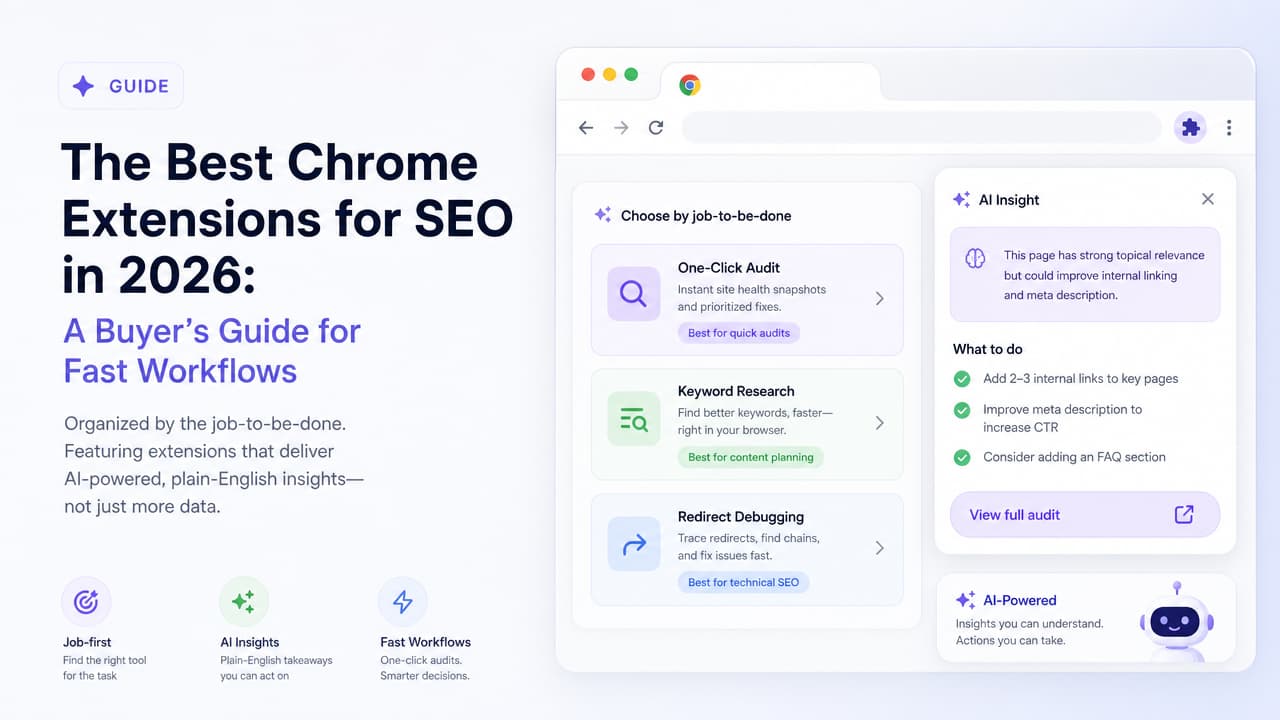
The best chrome extension for seo tools is the one that answers a specific question fast: is my on-page setup solid, what keywords does this page target, or where is this redirect chain breaking? For a one-click on-page audit, Detailed SEO Extension and Argus by Pixelesq lead the pack. For in-SERP keyword research, Keyword Surfer wins. For redirect debugging, Redirect Path. Every extension in this guide is free or freemium, so you can install and test without a credit card.
Most listicles rank these tools by feature count. That's the wrong lens. You don't need the extension with the most buttons; you need the one that does the job in front of you. Below, we organize the field by job-to-be-done, then add the layer most guides skip: which extensions hand you AI-powered, plain-English insights instead of a raw data dump you have to decode yourself.
The Best Chrome Extensions for SEO at a Glance
Here is the quick-pick verdict. Find your job, grab the tool, keep moving.
| Extension | Best for | Pricing |
|---|---|---|
| Detailed SEO Extension | One-click on-page audit (title, meta, robots) | Free (450,000+ users) |
| Argus by Pixelesq | AI-powered one-click insights in plain English | Freemium |
| SEO META in 1 Click | Fast meta-data and page-level QA | Free |
| Meta SEO Inspector | Deep meta and structured-data checks | Free |
| Keyword Surfer | Search volume and related keywords in Google | Free |
| SEOquake | Comprehensive on-SERP metrics | Free |
| Ahrefs SEO Toolbar | DR, backlinks, on-page report | Freemium |
| MozBar | Domain and page authority at a glance | Freemium |
| Redirect Path | HTTP status and redirect chain debugging | Free |
| HeadingsMap | Heading structure and outline audits | Free |
That table resolves the primary question for most people. The rest of this guide explains why each pick earns its spot, and how to decide when your workflow doesn't fit neatly into one row.
How to Choose an SEO Chrome Extension (By the Job, Not the Feature List)
SEO writer James Oliver sums up the market cleanly: most Chrome extensions for SEO fall into two camps. There are bloated dashboards you'll never fully use, and single-feature tools that quietly save you hours. The second group is underrated. As Oliver puts it, extensions won't replace your full SEO stack, but when you're working fast, having the right data in your browser is a win.
So skip the feature-count comparison and pick by the job in front of you. In practice, that's one of four jobs:
- One-click audit: You want a fast read on whether a page is set up correctly, without opening a separate app.
- Keyword research: You're on a Google results page and want volume, related terms, and competitive context without leaving the SERP.
- Technical and redirect debugging: You need to trace status codes, redirect chains, and heading structure while you browse.
- On-page checks: You're doing page-level QA on titles, meta descriptions, and canonical tags before you publish.
One caveat worth repeating: a seo toolbar for marketers supplements a real SEO stack, it doesn't replace it. Use extensions for the fast, in-context checks, and lean on platform tools for crawls, rank tracking, and historical data. The goal is a quick seo site check in seconds, not a full-blown site audit in your browser tab.
Best for One-Click On-Page Audits
This is the category most people mean when they search for a chrome extension for seo tools. You land on a page, click a button, and get the essentials.
Detailed SEO Extension
Detailed is the default recommendation for good reason. Click the icon on any page and it pulls the title tag, meta description, meta robots tag, canonical, and more into a single panel. It has 450,000 users, is 100% free, and layers extra SEO shortcuts into your right-click menu so you can check indexing or open cached versions without hunting through settings.
As an on page seo checker, the Detailed SEO Extension is fast and reliable. Its philosophy is to surface the data cleanly and let an experienced SEO interpret it. If you already know what a bad canonical or a stray noindex means, that's exactly what you want.
Argus by Pixelesq
Argus takes the same one-click premise and adds interpretation. Instead of only showing you the raw fields, this ai seo analysis tool reads the page and returns plain-English recommendations: what's wrong, why it matters, and what to fix first. It's built for a website seo audit chrome workflow where you want an answer, not just a readout.
The practical difference shows up when you don't already know the playbook. A raw panel tells you the title tag is 71 characters. Argus tells you the title is likely truncating in search results and suggests a tighter version. For content strategists and marketers who want momentum, that translation is the whole point.
Meta Data and Quick Checks
When your only job is verifying the head of the document, a lighter tool is faster than a full audit.
SEO META in 1 Click does exactly what its name promises: it displays all the meta data and main SEO information for the page in one popup. It's free on the Chrome Web Store and ideal for content strategists running fast page-level QA before hitting publish. You get titles, descriptions, headings, image alt coverage, and link counts at a glance.
Meta SEO Inspector goes a step deeper on structured data and meta tags, flagging issues like missing Open Graph fields or malformed markup. Use it when you want to check website seo score signals on the technical head of the page rather than the full content body.
Keyword Research Inside the SERP
Some of the best insights come without leaving Google's results page.
Keyword Surfer injects estimated search volume and related keyword suggestions directly into Google results. Type a query, and the numbers appear next to what you're already looking at. For content strategists mapping topics and marketing executives who want quick insights before committing to a brief, it removes an entire tab-switching step.
SEOquake adds a metrics overlay on the SERP itself, showing domain and page-level signals for every result. It's denser than Keyword Surfer, which makes it powerful for competitive scans but slightly noisier for pure ideation. Pair the two: Surfer for demand, SEOquake for the competitive read. Both surface ai powered seo insights adjacent data that would otherwise require a separate research session.
Technical and Redirect Debugging
When something is broken, you need status codes and structure, not keyword volumes. This is the developer's corner.
- Redirect Path by Ayima: Flags redirects and HTTP status codes as you browse, exposing 301 chains, 302s that should be 301s, and sneaky meta refreshes. Essential for anyone debugging a migration.
- Link Redirect Trace: Maps the full redirect path of any link, including rel attributes and header details, so you can spot where link equity leaks.
- HeadingsMap: Renders the heading outline (H1 to H6) of a page, making it obvious when structure is broken or an H1 is missing.
- Web Developer: A broad toolbelt for inspecting page elements, disabling scripts, and auditing structure during technical reviews.
For a junior developer auditing site architecture, this stack is a fast technical seo audit tool layer that lives right in the browser. Run Redirect Path on a suspicious URL, confirm the chain, and you've diagnosed in seconds what used to take a manual header trace.
All-in-One Toolbars
If you want authority and backlink metrics on every page, the comprehensive toolbars deliver, with a trade-off.
- Ahrefs SEO Toolbar: Shows Domain Rating, backlink counts, and an on-page report, with SERP overlays in search results. The free tier is generous; the deep data requires an Ahrefs account.
- MozBar: Surfaces Domain Authority and Page Authority at a glance, a quick heuristic for sizing up competitors.
- SEOquake: Doubles here too, offering a wide metrics panel for whoever wants everything on screen.
These are the most powerful seo extension for chrome options by raw capability. The trade-off is a steeper learning curve. More numbers means more interpretation, and that's precisely where a lot of users stall, which brings us to the gap most guides ignore.
The Gap Nobody Talks About: Raw Data vs. AI Insights
Nearly every extension above shares one assumption: that you already know what the numbers mean. They surface metrics beautifully, then leave the interpretation to you. For a seasoned SEO, that's fine. For everyone else, it's a wall.
Picture Nina, a junior developer. She runs a toolbar, sees a Domain Rating of 34, a title tag of 68 characters, three H1s, and a canonical pointing elsewhere. Which of those matters? Which does she fix first? The data is accurate and completely unhelpful without context.
Or Tom, a marketing executive who wants ROI, not a lecture on meta robots. He doesn't have time to learn what "noindex, follow" implies before his next meeting. He needs a prioritized list of what to do.
This is the case for a how to audit seo with ai tools approach. AI-powered extensions like Argus translate audit findings into ranked, plain-English actions. Instead of "canonical mismatch detected," you get "this page points its canonical to a different URL, which can stop it from ranking. Verify that's intentional." The tool does the interpretation layer that used to require years of experience.
Two shifts make this matter more than it used to:
- AI Overviews are now in the SERP. Google increasingly answers queries above the classic blue links, changing how visibility works and what an audit should prioritize.
- AI search visibility is rising. Being cited and understood by AI systems is becoming its own channel, and clarity of on-page signals feeds into it.
When the search landscape is moving, the ability to understand what an audit is telling you, and act quickly, beats having more numbers you can't rank by priority. That's the practical edge of ai powered seo insights: they compress the gap between seeing a problem and fixing it.
Free vs. Paid: What You Actually Get Without Spending
Search interest around this topic skews heavily toward "free," and for good reason. Almost every extension in this guide is genuinely free to install and use for its core job. If you want a chrome extension for seo tools free of charge, you're spoiled for choice.
Here's the honest breakdown of where free ends and paid begins:
| What you need | Free is enough | Paid adds value |
|---|---|---|
| One-click on-page audit | Yes — Detailed, SEO META in 1 Click, Argus | Batch audits, saved history |
| Redirect and status checks | Yes — Redirect Path, Link Redirect Trace | Site-wide crawls |
| In-SERP keyword ideas | Yes — Keyword Surfer | Full volume and difficulty databases |
| Backlink and authority depth | Partial — toolbar previews | Ahrefs, Semrush full datasets |
| Rank tracking and reporting | No | Ahrefs, Semrush, Nightwatch |
Reddit's SEO community reflects this exactly. In threads asking for the best plugin or extension, the recurring advice is to start with a solid free one-click auditor and only pay when you hit a real ceiling, such as needing large backlink databases or automated rank tracking. Paid platforms like Ahrefs and Semrush earn their fees at scale; they're not required for a free seo audit tool workflow on a handful of pages.
The smart move: get the chrome extension for seo tools download done for a free one-click auditor first, use it for a few weeks, and let your actual gaps tell you whether you need a paid platform. Most people find the free layer covers 80% of daily checks.
How to Get Started in Under Five Minutes
You can go from zero to your first audit before your coffee cools. Here's the fastest path.
- Install from the Chrome Web Store. Search for your chosen extension, click Add to Chrome, and confirm the permissions.
- Pin it to your toolbar. Click the puzzle-piece icon, then the pin next to the extension so it's one click away every time.
- Run a one-click audit on your own homepage. Open your site and click the icon. This is the ideal quick seo site check to learn the interface on a page you already understand.
- Act on the top three issues. Don't try to fix everything. Pick the three highest-impact findings — a missing title, a stray noindex, a broken canonical — and resolve them today.
- Repeat on key pages. Run the same one click seo audit on your top landing pages and your most important blog posts.
If you want the audit to tell you which three issues actually matter instead of leaving you to guess, try Argus by Pixelesq. As the all-seeing SEO inspector, it delivers AI-powered insights in one click and ranks your fixes in plain English, so you spend your time acting rather than interpreting. Install it, run it on your homepage, and see what it flags first.
Frequently Asked Questions
What is the best Chrome extension for SEO?
There's no single winner — it depends on the job. For one-click on-page audits, Detailed SEO Extension is the popular default, and Argus by Pixelesq adds AI-driven, plain-English recommendations on top. For keyword research inside Google, Keyword Surfer leads. For redirect debugging, Redirect Path. Match the tool to your task rather than chasing the longest feature list.
Is there a detailed SEO extension for Chrome?
Yes. The Detailed SEO Extension is a widely used, 100% free Chrome extension with over 450,000 users. It surfaces title tags, meta descriptions, meta robots, canonicals, and more in one click, plus SEO shortcuts in your right-click menu.
Does Google have a free SEO tool?
Google offers free tools like Google Search Console and Google Analytics for monitoring performance and indexing, but not a browser extension that audits any page you visit. For in-browser, one-click checks you'll want a dedicated extension such as Detailed, SEO META in 1 Click, or Argus.
What are the 5 best SEO tools?
For browser-based work: Detailed SEO Extension (on-page audits), Keyword Surfer (in-SERP keyword research), Redirect Path (technical debugging), Ahrefs SEO Toolbar (authority and backlinks), and Argus by Pixelesq (AI-powered one-click insights). At platform scale, Ahrefs and Semrush round out a full stack.
Can a Chrome extension replace a full SEO tool like Semrush or Ahrefs?
No, and it shouldn't try. Extensions are for fast, in-context checks while you browse. Full platforms handle site-wide crawls, historical data, rank tracking, and large backlink databases. Use extensions to supplement your stack, not substitute for it.
Which SEO extension is best for beginners?
Beginners benefit most from tools that interpret data instead of dumping it. An AI-powered extension like Argus by Pixelesq explains what each finding means and what to fix first in plain English, which shortens the learning curve. SEO META in 1 Click is also beginner-friendly for straightforward meta checks.

