SEOquake Chrome Extension: Features, Use, and a Smarter Alternative
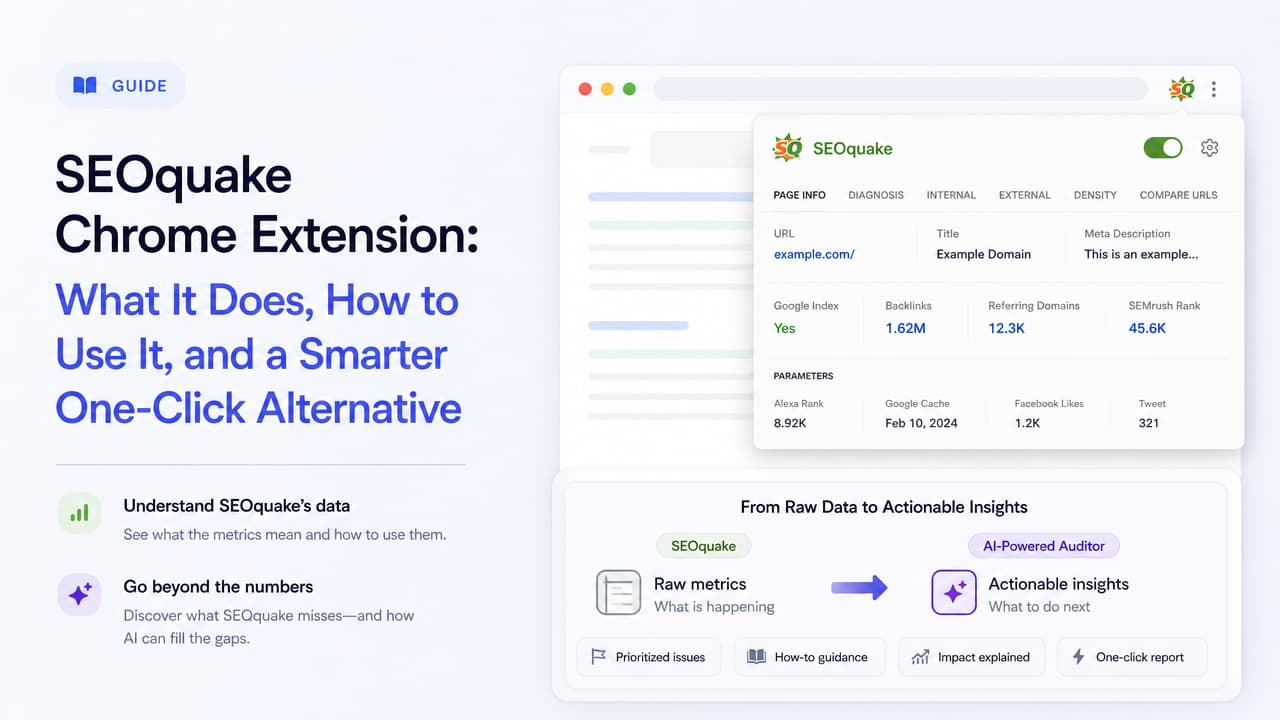
The SEOquake Chrome extension is a free tool by Semrush that delivers instant on-page and SERP SEO metrics in one click—things like page rank, keyword density, backlinks, and competitor data. It's the most-installed SEO extension in the Chrome Web Store, at roughly 1,000,000 installs, and it's a favorite for quick browser-based audits. But raw numbers only help if you know what to do with them. This guide breaks down what SEOquake does, how to install and use it, its real limitations, the best alternatives, and where an AI-powered one-click auditor picks up where SEOquake leaves off.
What Is the SEOquake Chrome Extension?
SEOquake is a free browser extension built by Semrush that surfaces SEO metrics for any page or search results page you're viewing. Click the icon and it runs a page-level analysis: on-page factors, technical issues, internal and external links, keyword density, and a snapshot of Semrush's own domain and traffic metrics.
Its core purpose is speed. Instead of opening a full SEO platform, running a crawl, and waiting for a report, you get a quick read on the page in front of you. That makes SEOquake useful for three common jobs:
- Page-level audits — a fast checklist of on-page SEO elements like title tags, meta descriptions, and headings.
- SERP analysis — an overlay that shows domain metrics for every result on a Google search page.
- Competitive benchmarking — one-click comparison of your page against a competitor's.
Because it's a free SEOquake extension backed by Semrush's data, it sits at an easy entry point for anyone starting SEO work. The tradeoff, which we'll get to, is that it hands you the numbers without telling you what to fix first.
How to Install SEOquake on Chrome
Installing the SEOquake Chrome extension takes under a minute and doesn't require an account for basic use.
- Open the Chrome Web Store and search for "SEOquake: On-Page SEO Checker," or go directly to its listing at chromewebstore.google.com.
- Click Add to Chrome, then confirm with Add extension in the pop-up.
- Pin the SEOquake icon to your toolbar so it's always one click away.
- Open any web page or Google search and click the icon to start pulling metrics.
Basic features work without signing in. Connecting a Semrush account unlocks deeper data tied to that ecosystem, but you can run on-page audits and view the SEObar for free.
Does SEOquake work on other browsers and mobile?
SEOquake is compatible with Google Chrome and Mozilla Firefox, so Firefox users can install it from the Firefox add-ons store. For Microsoft Edge, which runs on the same Chromium base as Chrome, you can typically install Chrome extensions after enabling extensions from other stores—though official support is aimed at Chrome and Firefox. There is no native Safari or mobile app version; browser extensions like this are built for desktop, so mobile SEO checks generally need a different approach.
Key Features and What Each Metric Means
SEOquake throws a lot of data at you. The value is in reading it correctly. Here's what the main features actually tell you.
The SEObar overlay
When you run a Google search with SEOquake active, it inserts a bar of metrics beneath each result. This is your at-a-glance competitive view. You'll see domain-level signals that hint at how strong each competing page is. Use it to gauge whether a keyword's first page is dominated by high-authority sites or if there's room for a smaller player to rank.
The on-page audit
Click the icon on any page and SEOquake runs a diagnostic covering title and meta tags, headings, URL structure, image alt attributes, and common technical issues. Each item is flagged as passing or needing attention. The audit tells you what exists on the page—for example, a missing meta description or an H1 that's too long—so you can spot obvious gaps. If you want a deeper look, our guide to on-page SEO tags explains what each one should contain.
Keyword density report
The keyword density tool counts how often words and phrases appear across the page, grouped into one-, two-, and three-word combinations. It shows the percentage each term makes up of the total content. This is useful for confirming your target topic is actually present in the copy—but treat high density as a flag to check for over-optimization, not a target to hit. Modern search engines reward natural language and relevance, not keyword repetition. For placement guidance, see how on-page SEO keywords belong across your page.
Internal and external link analysis
SEOquake counts internal links (pointing to pages on the same site) and external links (pointing off-site), and separates followed from nofollowed links. A page with almost no internal links may be orphaned from the rest of your site's structure. A page leaking dozens of external followed links might be passing away more authority than you intend.
Domain and Semrush metrics
The extension also pulls Semrush-sourced figures like estimated traffic, keyword counts, and backlink data. These give you a rough sense of a domain's overall footprint. Because they're third-party estimates, use them for relative comparison—Site A versus Site B—rather than as exact truth.
How to Run a One-Click SEO Audit with SEOquake
Putting it together, a typical quick check looks like this:
- Navigate to the page you want to audit.
- Click the SEOquake icon in your toolbar.
- Open the on-page diagnostics panel and scan the flagged issues.
- Check the keyword density and link reports to confirm topical focus and link balance.
- Export the data to CSV if you need to share it or track changes over time.
- Repeat on a competitor's page to benchmark where you stand.
In a couple of minutes you can monitor competing sites and pull a snapshot of your own page's on-page health—exactly the kind of quick SEO site check the tool was built for. If you'd rather follow a structured process, our step-by-step on-page SEO audit walks through every stage.
SEOquake Pros, Cons, and Limitations
SEOquake earns its huge install base, but it isn't the right fit for everyone. Here's an honest read.
Pros
- Free — core features cost nothing and need no account.
- Real-time metrics — instant data on any page or SERP.
- Competitive benchmarking — the SEObar makes side-by-side comparison effortless.
- Trusted data source — backed by Semrush's index.
- Massive adoption — roughly 1,000,000 installs, so it's well-tested and widely documented.
Cons and limitations
- Data overwhelm — beginners face a wall of numbers with little guidance on which ones matter.
- No prioritization — it flags issues but doesn't rank them by impact, so you don't know what to fix first.
- Tied to the Semrush ecosystem — the deeper metrics push you toward a paid Semrush subscription.
- Raw data, no interpretation — there's no plain-language explanation of why a metric matters or how to act on it.
- Third-party estimate accuracy — traffic and authority figures are approximations, not certainties.
The pattern is clear: SEOquake is excellent at showing and weak at explaining. That's fine for an experienced SEO who already knows how to interpret the output. It's a real barrier for a content strategist, marketer, or junior developer who needs answers, not a spreadsheet.
Best SEOquake Alternatives for Chrome
If SEOquake doesn't fit your workflow, several other extensions cover similar ground with different strengths. Here's how the popular options compare, and our roundup of the best Chrome extensions for SEO goes even deeper by use case.
| Extension | Price | Data source | Best for |
|---|---|---|---|
| SEOquake | Free (paid tiers via Semrush) | Semrush index | Quick metrics dumps and SERP benchmarking |
| Detailed SEO Extension | Free | On-page data | Clean, readable on-page element checks |
| MozBar | Free (Pro paid) | Moz index (DA/PA) | Domain and page authority scoring |
| Ahrefs SEO Toolbar | Free (fuller data with Ahrefs plan) | Ahrefs index | Backlink and on-page analysis for Ahrefs users |
| Mangools SEO Extension | Free (with Mangools plan) | Mangools data | Simple, approachable metrics for smaller teams |
A few notes to guide the choice:
- Detailed SEO Extension is the go-to when you want a tidy, non-intimidating view of on-page elements—titles, headings, canonical tags, schema—without the metric overload.
- MozBar is worth having if you rely on Domain Authority and Page Authority as your shorthand for site strength.
- Ahrefs SEO Toolbar and Mangools shine when you're already inside those ecosystems and want extension-level access to their data. The SEO Minion extension is another free option worth a look.
The pattern across all of them mirrors SEOquake: they excel at surfacing data, but they still expect you to interpret it. That leaves a genuine gap for anyone who wants direction rather than a dashboard.
The Gap SEOquake Leaves: From Metrics to Action
Here's the core problem with SEOquake and most of its alternatives: they answer "what does this page score?" but not "what should I do about it?" A keyword density percentage, a link count, and a flagged meta tag are only useful if you already know how to translate them into a plan. For non-experts, that translation step is exactly where the work stalls.
That's the gap Argus by Pixelesq is built to close. Argus is a Chrome extension that runs an AI-powered SEO audit in one click—but instead of returning a metrics dump, it delivers plain-language insights and a prioritized list of fixes. It tells you what's wrong, why it matters for your rankings, and what to change first.
The difference in practice:
- SEOquake tells you your meta description is missing. Argus tells you it's missing, why that hurts your click-through rate, and suggests what to write.
- SEOquake shows you a list of technical issues. Argus ranks them by impact so you spend time on what actually moves the needle.
- SEOquake hands you raw keyword density figures. Argus interprets whether your content is on-topic or over-optimized.
For Eva the content strategist, Tom the marketing executive, or Nina the junior developer, that shift—from data to direction—is the whole point. You get comprehensive AI-powered SEO insights and audits without needing to be an SEO specialist to read them. If you're just getting started, our step-by-step guide to website SEO lays out where to focus first.
If you like SEOquake's one-click speed but want the numbers translated into next steps, try Argus by Pixelesq—the all-seeing SEO inspector that turns an audit into an action plan.
Frequently Asked Questions
What is the best SEO extension for Chrome?
There's no single winner—it depends on what you need. SEOquake is best for quick, free metrics and SERP benchmarking. Detailed SEO Extension is best for clean on-page checks. If you want an audit that explains issues in plain language and prioritizes fixes, an AI-powered tool like Argus by Pixelesq is a stronger fit for non-experts who need guidance, not just data. Our comparison of SEO extensions for Google Chrome breaks it down further.
Is there a detailed SEO extension for Chrome?
Yes. The Detailed SEO Extension is a popular free option that presents on-page elements—titles, meta tags, headings, canonicals, and schema—in a readable layout. It's a good pick if SEOquake's metric-heavy interface feels overwhelming.
What is SEOquake and is it free?
SEOquake is a free Chrome and Firefox extension by Semrush that provides instant on-page and SERP SEO metrics, including page rank, keyword density, backlinks, and competitor data. Core features are free with no account required; deeper data ties into a paid Semrush subscription.
Does Google have a free SEO tool?
Google offers several free tools that support SEO, though not as a single browser extension. Google Search Console shows how your site performs in search, PageSpeed Insights measures performance and Core Web Vitals, and the Rich Results Test checks structured data. These complement extension-based auditing rather than replace it.
Does SEOquake work on mobile, Edge, or Safari?
SEOquake officially supports Google Chrome and Mozilla Firefox on desktop. It generally works on Microsoft Edge since Edge runs on Chromium, but there's no native Safari extension or mobile app. For mobile SEO checks, you'll need a different tool or a desktop audit.

